
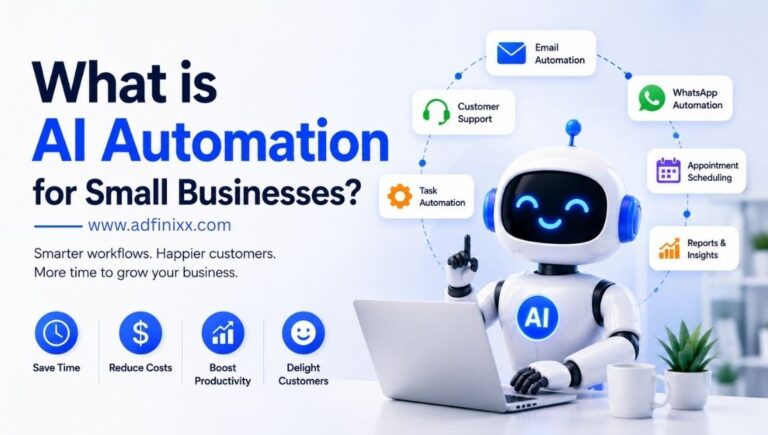
AI automation for small businesses is no longer a luxury reserved for enterprise giants. In 2026, smart tools that once cost millions are available for the price of a monthly subscription — and the small businesses using them are winning customers, cutting costs, and outcompeting rivals who haven't yet caught on.
You started your business to do what you love — not to spend half your day answering the same customer questions, chasing invoices, and manually posting on Instagram. AI automation gives you those hours back, and then some.
Across the globe, small businesses are quietly transforming the way they operate. A bakery in Mumbai uses an AI chatbot to handle order enquiries overnight. A freelance accountant in London automates 90% of invoice follow-ups. A boutique clothing brand in New York runs personalised email campaigns to 10,000 subscribers — with zero manual effort. None of them have a tech team. None of them spent a fortune. They just found the right tools.
This guide breaks down everything you need to know about AI automation for small businesses — what it actually is, where to start, which tools are worth using, and how to avoid the mistakes that trip most owners up.
What is AI Automation for Small Businesses?
AI automation for small businesses means using software powered by artificial intelligence to perform tasks that you or your staff would otherwise do manually — things like answering customer messages, sending follow-up emails, generating invoices, scheduling appointments, or posting on social media.
Unlike traditional automation (which just follows rigid rules, like "if email received, reply with this template"), AI automation learns from context. It understands the intent behind a customer's question, personalises a reply, adapts its behaviour based on past interactions, and improves over time. The result is automation that feels human — without requiring a human to run it.
The key distinction is this: traditional automation is a flowchart. AI automation is a co-worker that gets smarter with every interaction.
6 Key Areas Where Small Businesses Use AI Automation
AI automation isn't one tool — it's a category that touches nearly every part of running a business. Here are the six areas where small business owners are seeing the biggest impact:
Customer Support
AI chatbots answer FAQs, resolve common issues, and escalate complex queries — 24/7, without a support team on the clock.
Email Marketing
AI tools segment your audience, write personalised email sequences, pick optimal send times, and A/B test subject lines automatically.
Invoicing & Accounts
Automated billing, payment reminders, expense categorisation, and financial reports — without touching a spreadsheet.
Social Media
AI generates captions, schedules posts across platforms, monitors brand mentions, and suggests trending content ideas.
Lead Generation
AI scores incoming leads, triggers personalised follow-up sequences, and notifies you only when a prospect is ready to buy.
Booking & Scheduling
Intelligent scheduling tools let customers book appointments automatically, with AI handling rescheduling, reminders, and cancellations.
Top AI Automation Tools for Small Businesses (2026)
The good news: you don't need to be a tech expert to use these tools. Most are designed for non-technical users and come with ready-made templates to get you up and running in hours, not months.
| Tool | Best For | Pricing | Ease of Use |
|---|---|---|---|
| Zapier AI | Connecting apps & automating workflows | Free + Paid | ⭐⭐⭐⭐⭐ |
| ChatGPT / Claude | Content creation, email drafts, customer replies | Free + Paid | ⭐⭐⭐⭐⭐ |
| Mailchimp AI | Email marketing & audience segmentation | Free + Paid | ⭐⭐⭐⭐ |
| Tidio / Intercom | AI chatbots for customer support | Free + Paid | ⭐⭐⭐⭐ |
| FreshBooks / Xero AI | Invoicing, accounting, expense tracking | Paid | ⭐⭐⭐⭐ |
| Buffer AI / Later | Social media scheduling & content | Free + Paid | ⭐⭐⭐⭐⭐ |
| HubSpot AI (Free CRM) | Lead management & follow-up automation | Free + Paid | ⭐⭐⭐⭐ |
| Calendly AI | Appointment booking & scheduling | Free + Paid | ⭐⭐⭐⭐⭐ |
Small businesses that adopt AI tools grow revenue 1.5× faster than those that don't — and the gap is widening every year.
— McKinsey SMB AI Adoption Report, 2025
How to Get Started: A Step-by-Step Guide
The biggest mistake small business owners make is trying to automate everything at once. The right approach is to start small, prove value quickly, and build from there.
-
1
Identify your biggest time drain
Spend one week tracking how many hours go to repetitive tasks. Customer emails? Invoice chasing? Social posts? Whichever takes the most time with the least thinking is your first automation candidate.
-
2
Pick one tool and commit to it
Don't sign up for six tools in week one. Choose the tool that addresses your biggest pain point, follow the onboarding tutorial, and give it 30 days before evaluating results.
-
3
Set up your first workflow
Most tools offer pre-built templates. A simple "new enquiry → auto-reply + CRM entry" workflow can be live in under an hour and immediately starts saving time.
-
4
Review and refine after 30 days
Check what the AI got right and what it missed. Adjust your prompts, update your templates, and use the data to decide what to automate next.
-
5
Expand to connected workflows
Once one automation is humming, use a tool like Zapier to connect it to others — so a new customer inquiry automatically creates a CRM record, triggers a welcome email sequence, and books a consultation call, all without lifting a finger.
Common Mistakes Small Businesses Make with AI Automation
Most failed AI automation projects have nothing to do with the technology. They fail because of how they're set up and managed. Watch out for these:
Automating a broken process
AI speeds up what you're already doing — good or bad. Fix your customer journey before automating it, or you'll just deliver a bad experience faster.
Set-and-forget mentality
AI automation needs regular review. Customer questions change. Products evolve. An outdated chatbot giving wrong answers is worse than no chatbot at all.
Removing all human touch
Automation handles volume — humans handle complexity and relationship-building. Always have a clear path for customers to reach a real person when they need one.
Key Takeaways
- AI automation for small businesses means using intelligent software to handle repetitive tasks automatically — no technical skills required.
- The biggest wins come from automating customer support, email marketing, invoicing, and lead follow-up.
- Most effective AI tools are affordable — many start free — and designed for non-technical users.
- Start with one pain point, one tool, and one workflow. Prove it works, then expand.
- SMBs using AI automation save 10–20 hours per week and report faster revenue growth than non-adopters.
Real Results: What Small Businesses Are Achieving
The numbers from early adopters tell a compelling story. A small e-commerce brand reduced customer support ticket volume by 62% after deploying an AI chatbot trained on their product FAQs. A three-person digital marketing agency automated their client reporting and reclaimed 12 hours a week — time they redirected to winning new clients. A local service business automated appointment reminders and reduced no-shows by 48%, saving thousands in lost revenue annually.
These aren't outliers. They are the new normal for businesses that treat AI automation as a growth strategy, not just a cost-cutting measure. The businesses that implement AI thoughtfully — starting with clear goals, measuring outcomes, and iterating — consistently report ROI within the first three months.
Frequently Asked Questions
AI automation for small businesses means using intelligent software tools to handle repetitive tasks — like answering customer queries, sending follow-up emails, processing invoices, or scheduling social media posts — automatically, without manual effort. Unlike basic automation, AI tools learn from context and improve over time.
Yes. Many AI automation tools offer generous free tiers or plans starting from $10–$50 per month. Tools like Zapier, ChatGPT, Mailchimp, Tidio, and HubSpot are used by millions of small businesses at accessible price points. The investment almost always pays back within weeks in time saved.
Customer support (chatbots), email marketing campaigns, social media scheduling, appointment booking, invoice generation and reminders, lead follow-up sequences, data entry, inventory alerts, and ad campaign optimisation — all can be automated with today's AI tools, even without technical expertise.
No. Most modern AI automation platforms are built for non-technical users. They offer drag-and-drop workflow builders, pre-built templates for common use cases, and step-by-step onboarding guides. You don't need to write code or hire a developer to get started — if you can use a smartphone, you can use these tools.
Studies consistently show small businesses save 10–20 hours per week after implementing AI automation across key workflows. That translates to 40–80 hours a month — time that can be reinvested into client relationships, product development, and strategic growth instead of admin tasks.
Ready to put your small business on autopilot?
Adfinixx helps small businesses identify and implement the right AI automation strategy — from customer support to marketing and beyond. Book a free consultation and find out exactly where automation can save you the most time and money.
Get a Free Consultation